
TwinClips AI Review: An AI Twin From One Photo for $67 One-Time? The Credits, the Upgrades and the Honest Catches
TwinClips AI turns one photo and about 30 seconds of your voice into an AI twin, then makes short vertical videos of that twin saying whatever you type, with captions, scenes and B-roll, ready for TikTok, Reels and Shorts. It launches on JVZoo on October 22, 2026 as a $67 one-time Founder's License with 500 credits and a 60-day money-back guarantee. I rate it 7.7/10. For anyone who wants to post regularly without filming, a one-time price against the monthly fees of the big AI avatar tools is a strong pitch, and the 60-day guarantee gives you real time to test it. The catches: 500 credits run out faster on one-minute videos, the vendor's pages disagree on the language count, "lifetime" is defined as about five years, and I couldn't find real footage of the app's interface, only polished mock-ups.
This review contains affiliate links. Full disclosure & disclaimer.
TheStackLens score
TwinClips AI Review: Quick Verdict
The hardest part of short-form video isn't ideas. It's sitting in front of a camera five times a week. TwinClips AI removes the camera: set up your twin once and every new video starts from a script. For $67 one-time with 500 credits, a commercial licence and a 60-day refund window, it's a low-risk way to find out whether an AI version of you can carry your content. My pick is the front-end plus Pro. The $67 front-end gets you started, but its 500 credits cover only about 20 one-minute videos. Pro adds 1,200+ credits, unlimited avatars, outfits and priority rendering, which more than triples what you can make and brings the cost per credit down. Skip the order bumps unless you need stock presenters or fancier captions.
✔ What I like
- One-time $67 instead of a monthly avatar subscription
- Setup is one photo and a 30-second voice sample
- A 60-day money-back guarantee, double the usual 30
- Commercial use included, so you can make client videos
- Captions, scenes, B-roll, templates and an editor built in
- Credits don't expire while your account is active
✘ What I don't like
- 500 credits is about 20 one-minute videos by my estimate
- Language count is "50+" in one place and 15 in another
- "Lifetime" means the product's life, about 5 years
- No real app footage in the demo, only designed mock-ups
- One twin included; more avatars cost extra
- Videos max out at 60 seconds
TwinClips AI Coupon Code & Launch Deal
NO CODENo coupon code and no bundle were announced. The launch deal is the Founder's License at $67 one-time, against a stated regular price of $159. The sales page says the price goes up when the launch window closes, and the partner page lists the launch as October 22 to 29, 2026.Founder's License
- Your AI twin from one photo
- Voice clone from ~30 seconds
- 500 credits, videos up to 60s
- 3 styles, captions, B-roll, editor
- Commercial use, 60-day guarantee
Order Bumps
- Avatar Packs: $37
- Premium Caption Styles: $27
- Skip both if you'll only use your own twin
FE + Pro ★ Best value
- 1,700+ credits in total (3.4× the front-end)
- Unlimited AI avatars
- Outfits, styles and effects
- Priority rendering, VIP support
Pro is offered right after the $67 checkout. Say yes to it there.
What Is TwinClips AI?
Every "post more video" plan runs into the same wall: you have to film it. Set up the light, find a quiet ten minutes, redo the take three times, edit out the ums. Most people manage two weeks before the schedule slips.
TwinClips AI is an AI avatar video tool built around one idea: film yourself once, never again. You upload a single photo, record about 30 seconds of your voice in the browser, and it builds your "AI twin". After that, you type a script (or let it write one from an idea or a link), pick a style and length, and the twin delivers it as a vertical video with captions, ready for TikTok, Instagram Reels and YouTube Shorts. The vendor says a video is usually ready in about a minute.
It's made by Adrian I., whose earlier JVZoo launches include CallFluent AI, Creativio AI and LeadsGorilla AI, with Roxana I. as the face of the brand (she's the person in the demo). It launches on JVZoo on Thursday, October 22, 2026 at 11:00 AM EDT, and the launch window runs to October 29.
How TwinClips AI Works: From One Photo to a Posted Video
The only demo is the vendor's 2½-minute promotional video. It walks through the workflow with designed screens rather than a screen recording of the app, so treat the screenshots below as the vendor's picture of the process. Here's each step.
- Start with one photo and 30 seconds of voice. That's the whole setup. The vendor recommends a front-facing, well-lit, natural photo (JPG or PNG) and a short voice sample recorded in your browser. If you'd rather not use your own face or voice, there are AI avatars and preset voices instead.
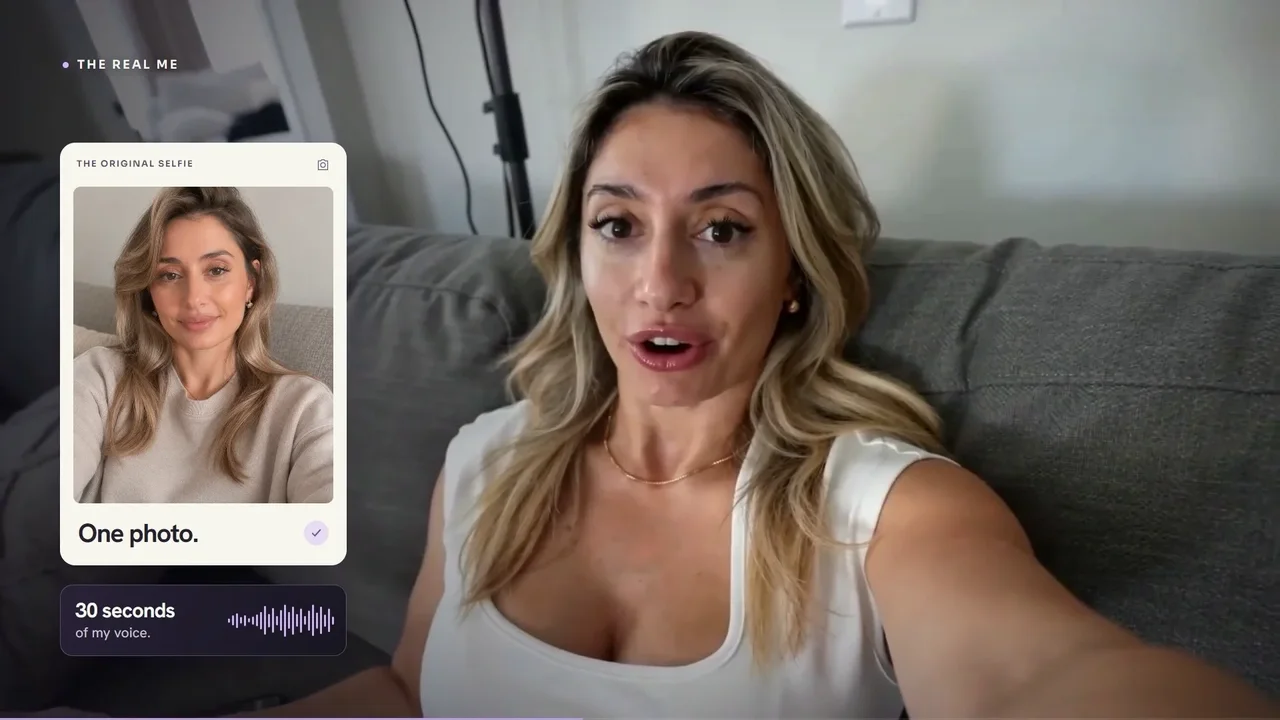
Step 1: the two inputs: one photo, 30 seconds of voice (vendor demo) - The photo becomes your twin. The face is mapped from the photo, and the twin appears ready for its first video.
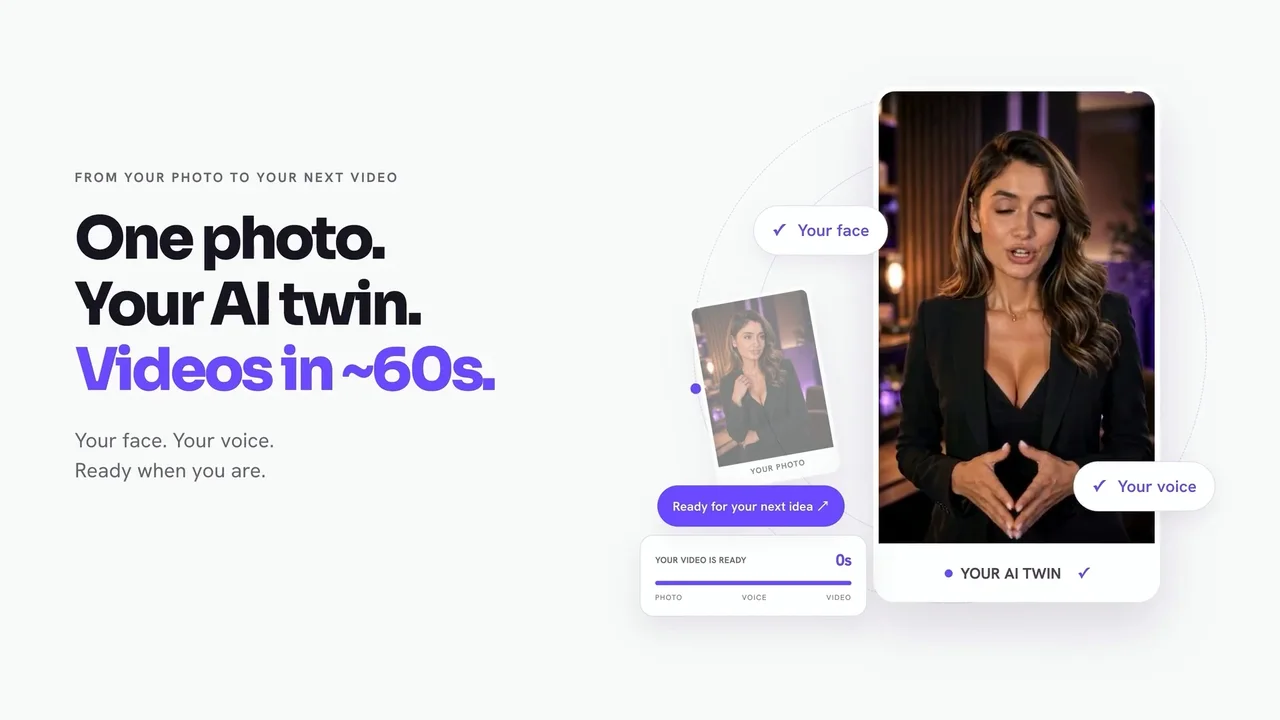
Step 2: one photo, your AI twin (vendor demo) - Record your voice. You read a short script aloud for about 30 seconds while a timer counts down. This is the sample your voice clone is built from, so a quiet room matters more than anything else (my Bonus #4 has a checklist and a reading script).
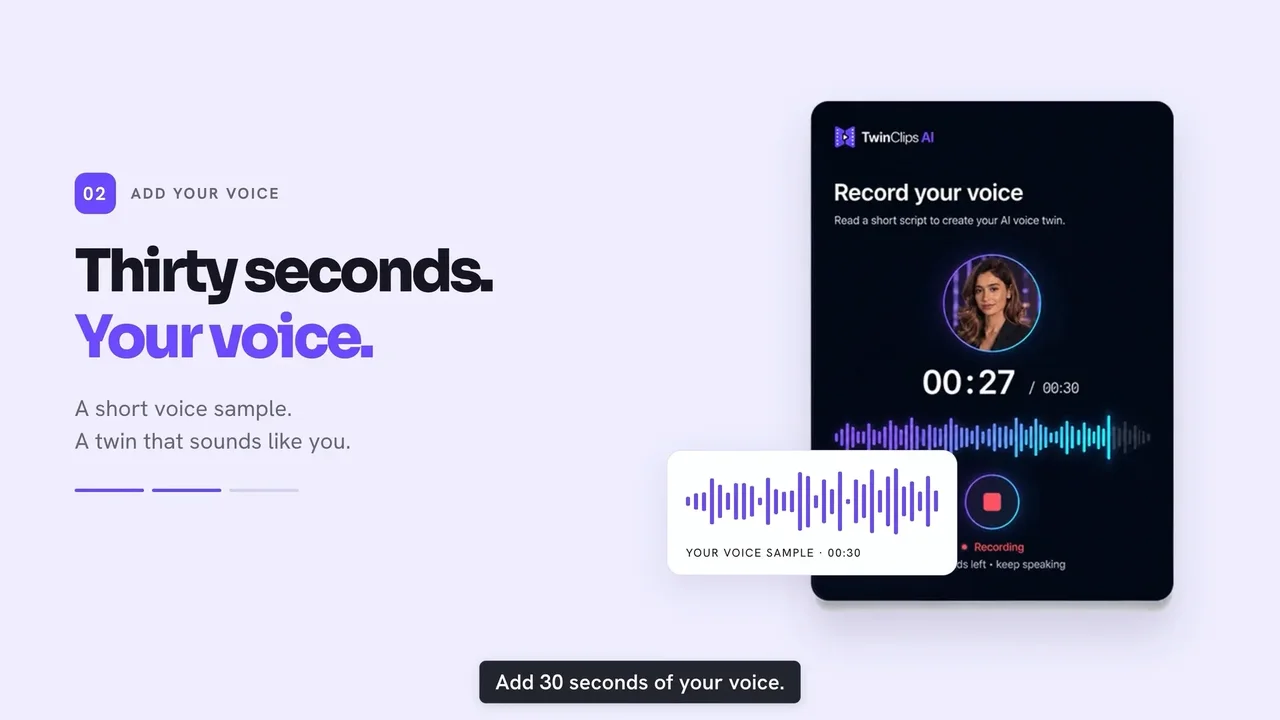
Step 3: the 30-second voice sample (vendor demo) - Type a script. Write your own, or use the built-in AI hooks, scripts and ideas, ready-made templates or link-to-video (paste a page and it drafts the script). Then pick a length: 5, 10, 15, 30 or 60 seconds.
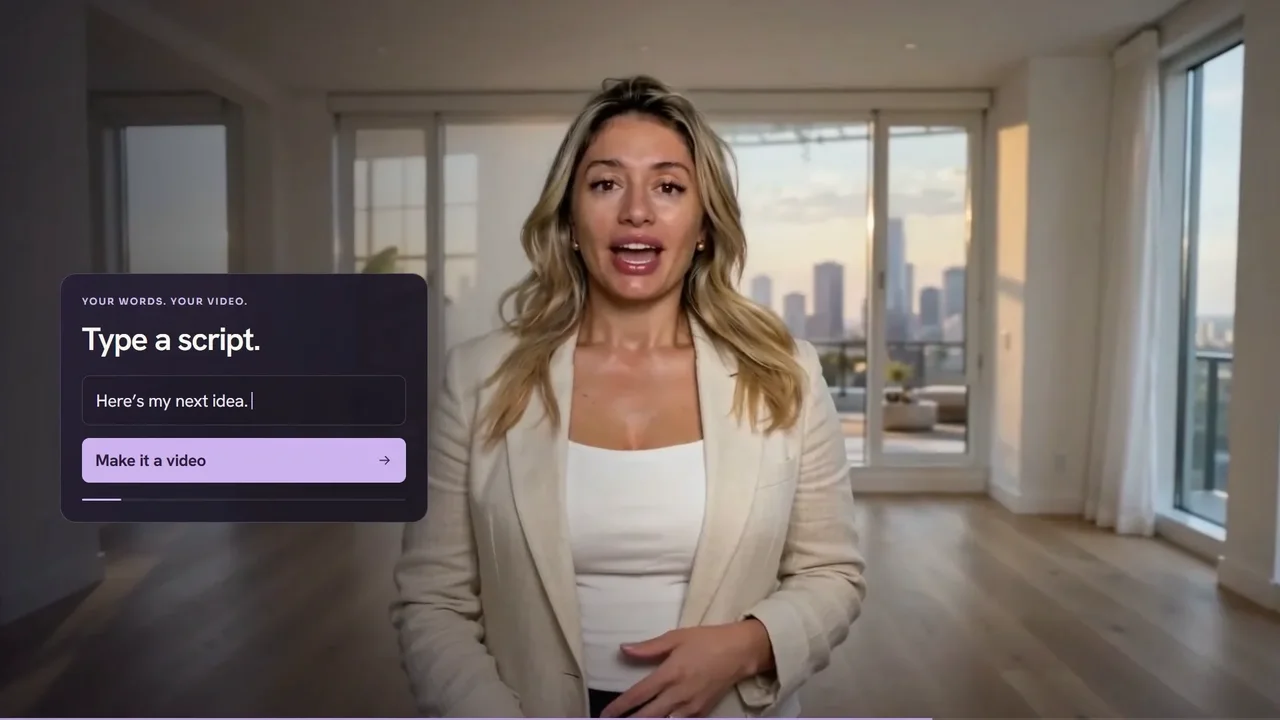
Step 4: "Type a script. Make it a video." (vendor demo) - Generate the video, with captions. The twin says your script, with captions added automatically, in a vertical 9:16 format for TikTok, Reels and Shorts.
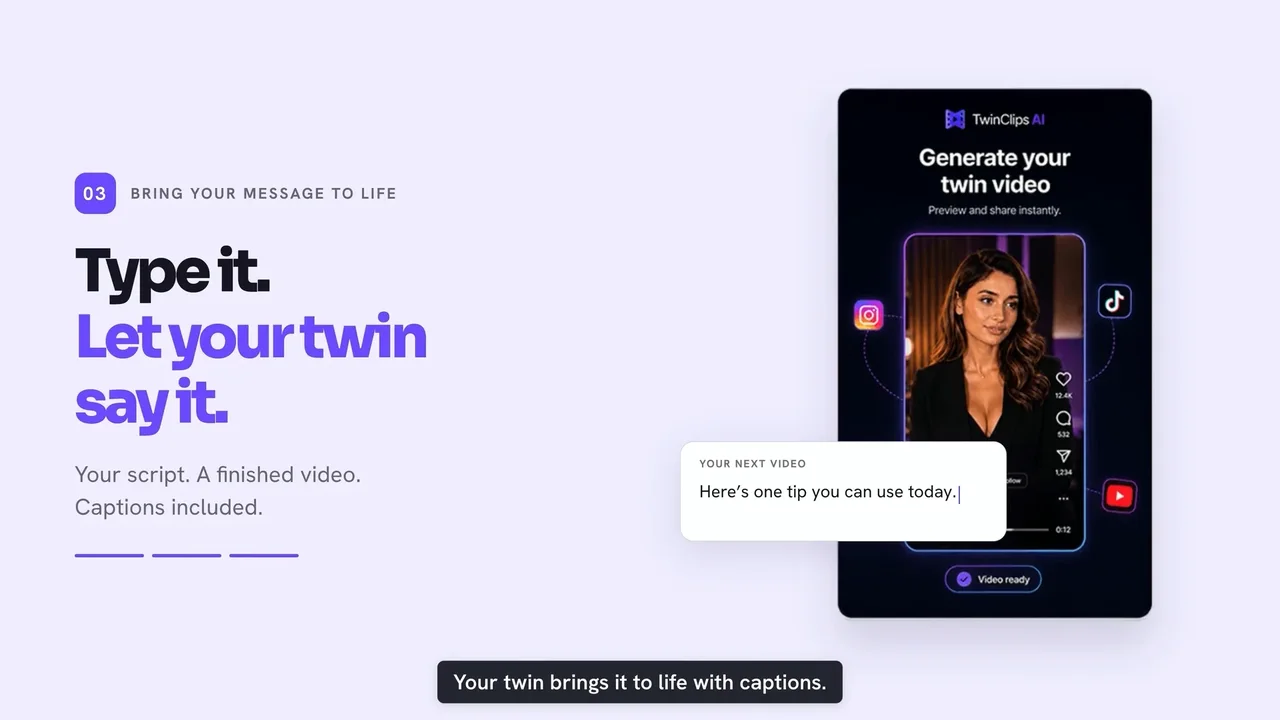
Step 5: your script, your twin, captions included (vendor demo) - Review it. The vendor's example shows the twin talking naturally to camera. Watch every video at full size before sharing: this is where you'll spot any lip-sync drift or an odd expression.
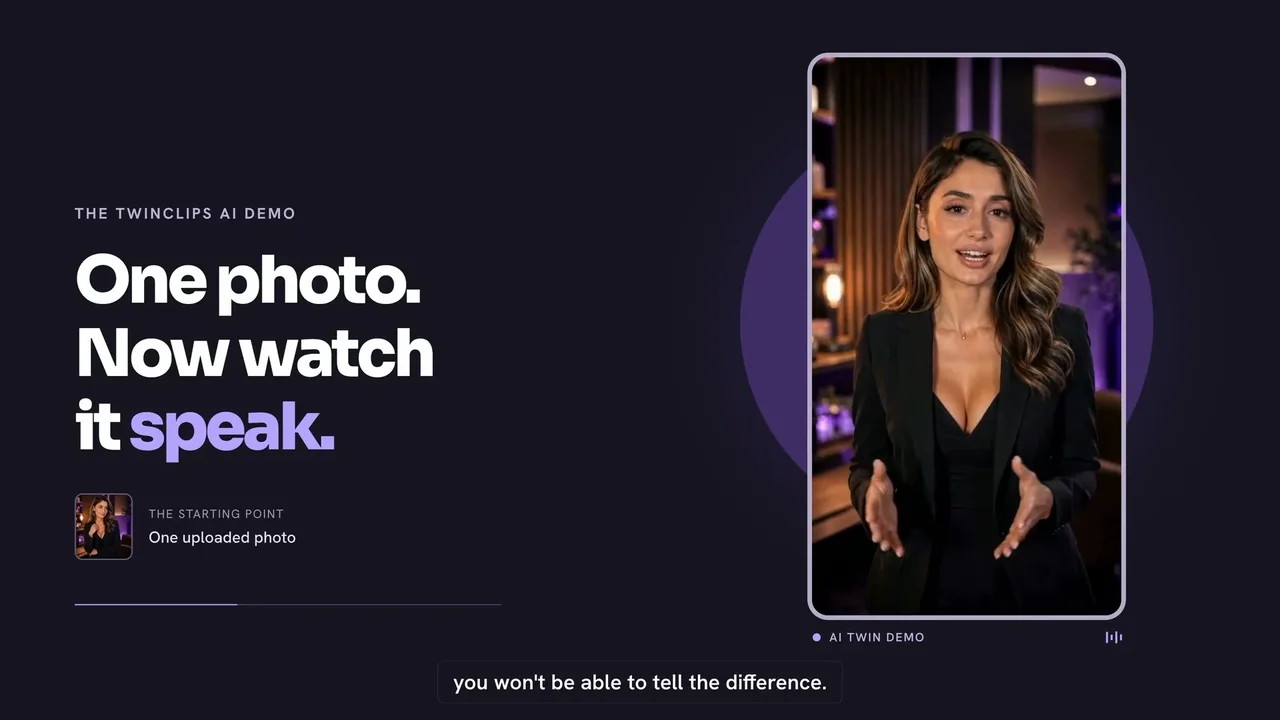
Step 6: the twin speaking (vendor demo) - Change the scene. The same twin can appear in a podcast studio, a gym, a kitchen or a rooftop. The package lists three styles: Studio, Cinematic and AI Scenes, plus 30+ studio backgrounds.
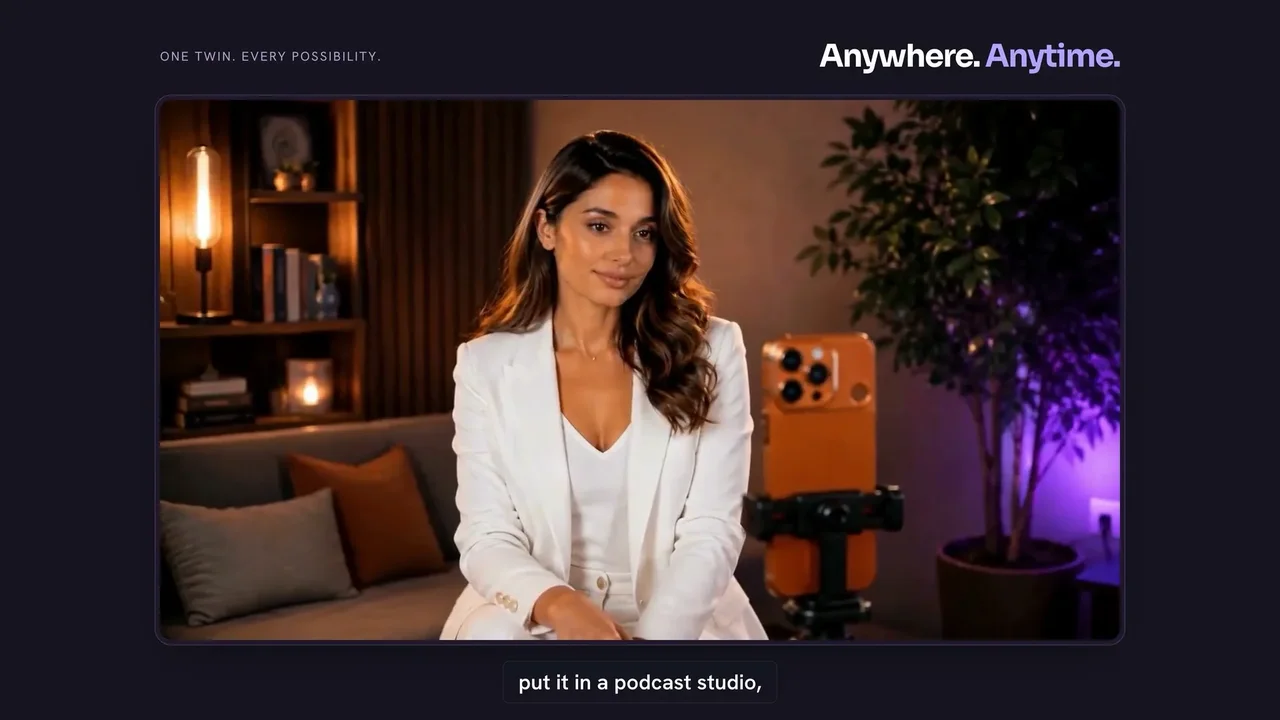
Step 7a: podcast studio scene (vendor demo) 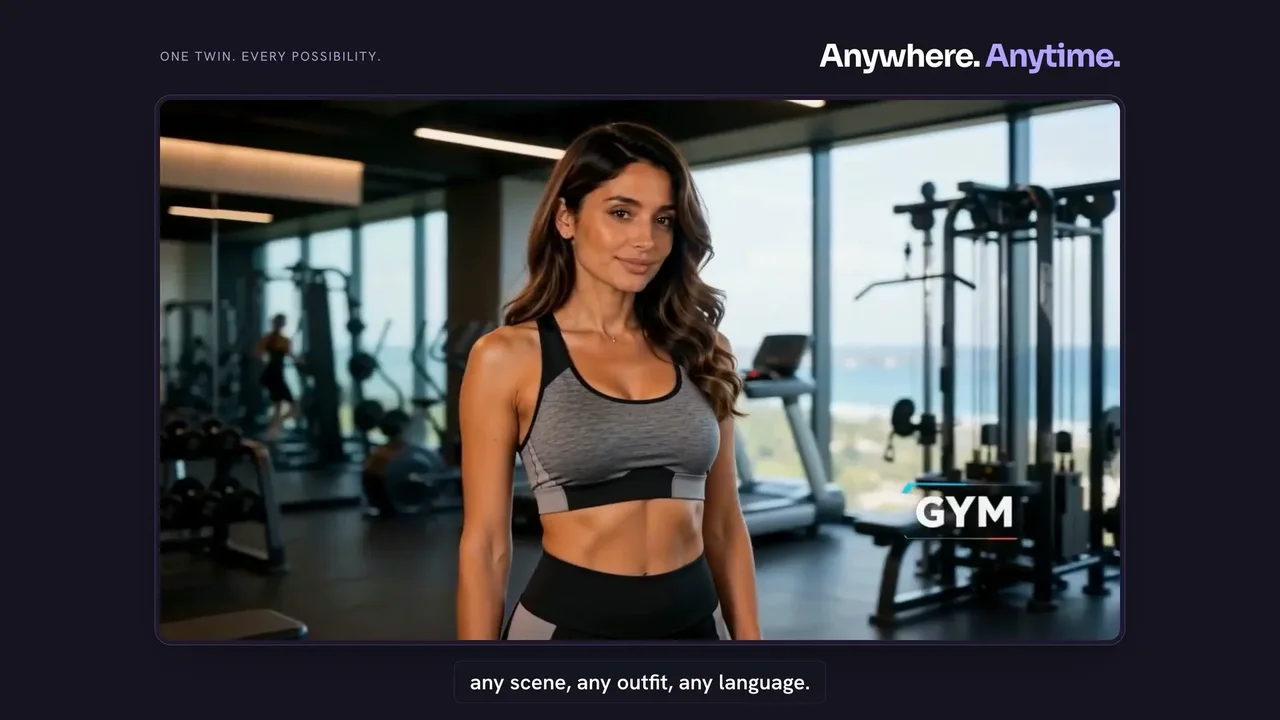
Step 7b: same twin, gym scene (vendor demo) 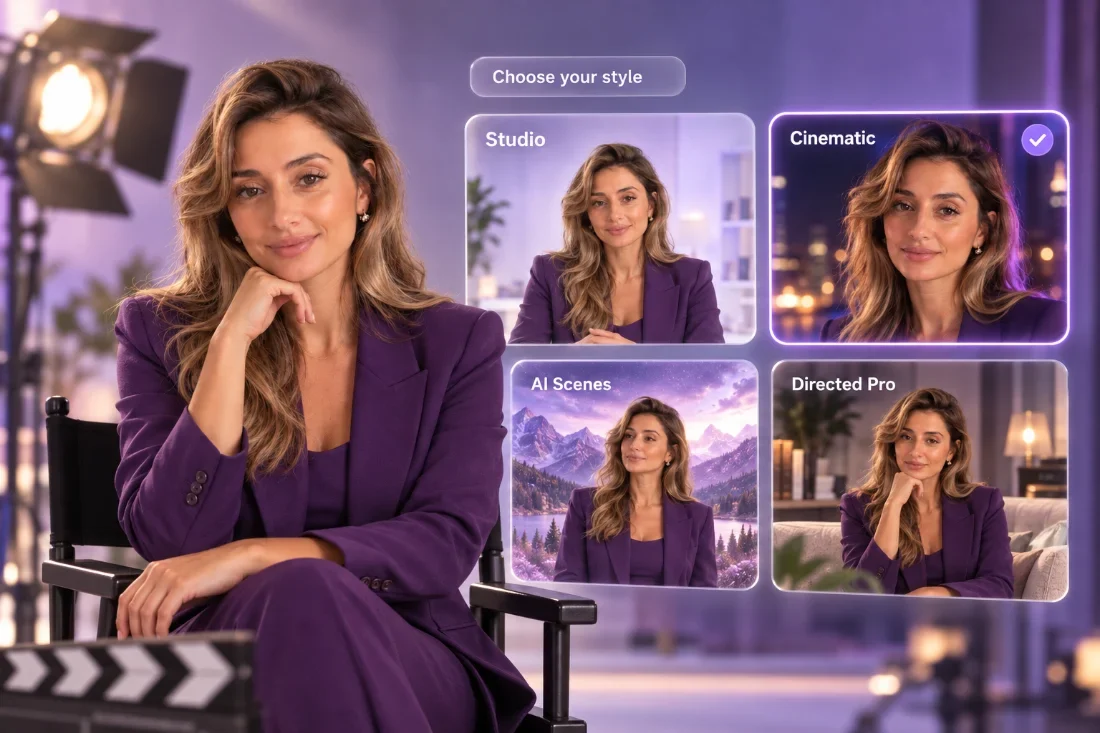
Step 7c: the style picker (vendor sales page) - Export for each platform. The package lists HD vertical 9:16 export for Reels, TikTok and Shorts. The vendor's feature image also shows 1:1 and 16:9 options.
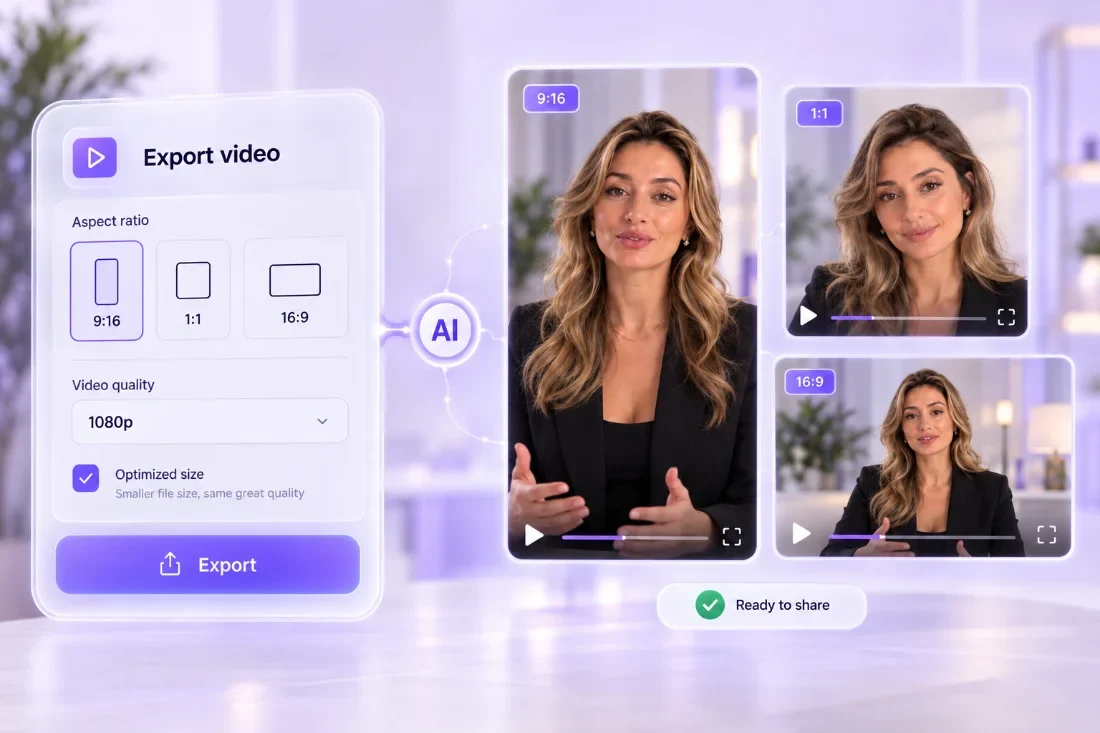
Step 8: export options (vendor sales page) - Use it for your business, or for clients. The vendor pitches 12 niches, including coaches, salons and med spas, dental, fitness, real estate and restaurants, and the licence includes commercial use.
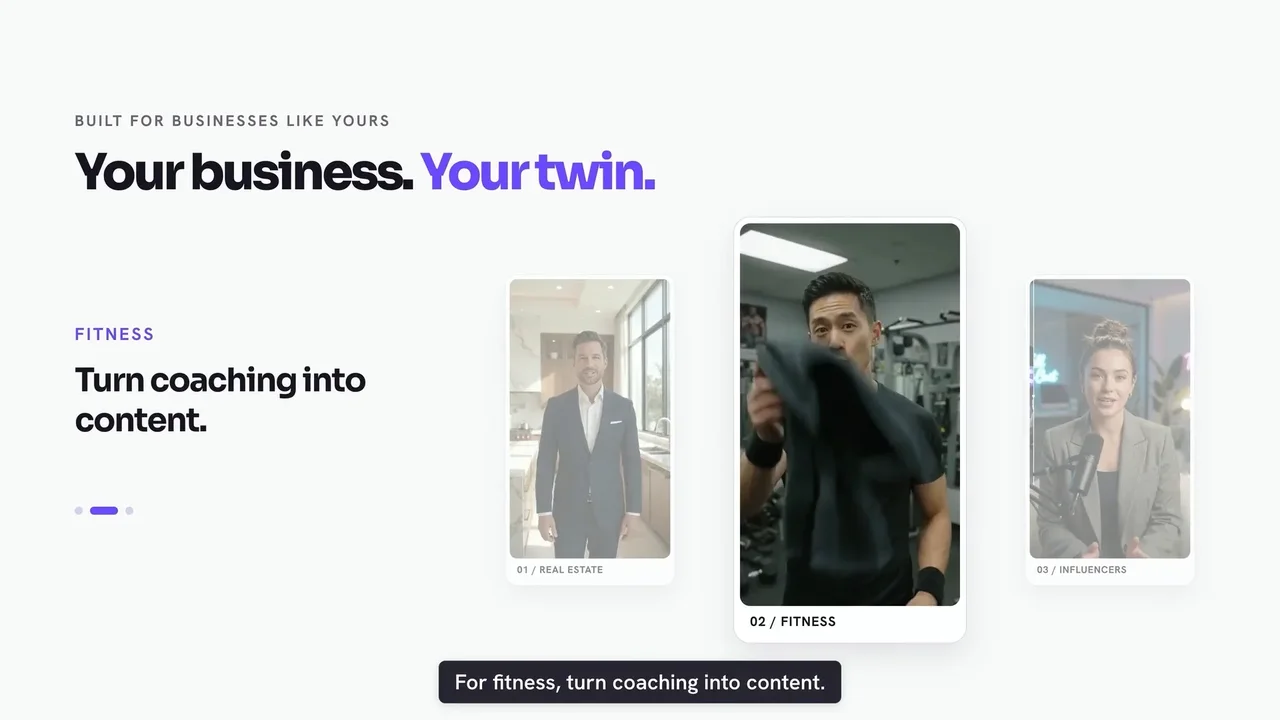
Step 9: business use cases (vendor demo)
Before Step 1, read my Bonus #4: the photo and voice sample decide how good every future video looks and sounds. Before Step 4, Bonus #7 tells you exactly which length (and how many credits) a script needs.
What Stood Out
This is the part a sales page won't give you. Here's what I took from the demo, the sales page and the partner page, area by area.
| Area | What I found |
|---|---|
| Setup | As light as it gets. One photo and 30 seconds of audio is less than most avatar tools ask for, which usually means a recorded video of you. The trade-off is that you depend on that one photo being good |
| Price model | The main reason to buy. $67 once, no card kept on file, versus the monthly subscriptions most AI avatar tools charge |
| Guarantee | 60 days, no questions. That's enough time to build your twin, post for a month and see the response |
| Script help | Covers the blank-page problem. AI hooks, scripts, ideas, link-to-video and templates mean you don't need a script before you start |
| Credits | Fine for short clips, tight for one-minute videos. The vendor's own figure is about 90 videos of up to 15 seconds. That's roughly 0.37 credits a second, or about 20 one-minute videos in total |
| Languages | Unclear. The stats and multilingual sections say "50+ languages"; the package list says "15 video languages". Plan on 15 until you've checked inside the app |
| App footage | Not shown. The demo and feature images are polished, designed screens. I couldn't find a plain screen recording of the real dashboard, so test it inside your 60 days |
| Realism claim | Overstated. The demo says viewers "won't be able to tell the difference". Judge that on your own twin, and label videos as AI where platforms ask you to (my Bonus #10) |
TwinClips AI Features
| Feature | Where it is | My take |
|---|---|---|
| Personal AI twin from one photo | Front-end | One twin included. Extra twins are optional and sold separately. |
| Voice cloning | Front-end | From about 30 seconds of audio, or use a preset voice. |
| Script to video | Front-end | Lengths of 5, 10, 15, 30 or 60 seconds; ready in about a minute, per the vendor. |
| AI hooks, scripts, ideas + link-to-video | Front-end | Useful starting points. Always edit for your own voice and facts. |
| 3 styles + 30+ backgrounds | Front-end | Studio, Cinematic and AI Scenes. |
| Templates, storyboards, B-roll, editor | Front-end | Ready-made templates and a built-in editor, so you don't need a second app for basic edits. |
| Automatic captions | Front-end | On-screen captions included. Fancier styles are a $27 bump. |
| Languages | Front-end | 15 video languages in the package list ("50+" elsewhere on the page). |
| Commercial use | Front-end | Make videos for your business or for clients. |
| Avatar Packs | $37 bump | Ready-made presenters, if you don't always want to be the face. |
| Premium Caption Styles | $27 bump | More caption designs. |
| Unlimited avatars, 1,200+ credits, effects | Pro ($127 / $77) | Plus outfits and avatar styles, priority rendering and VIP support. |
TwinClips AI Credits, Limits & Fine Print
| Question | Answer |
|---|---|
| How many videos do 500 credits make? | The vendor says about 90 videos of up to 15 seconds. Credits are charged by length, so by the same maths that's about 45 thirty-second or 20 one-minute videos. Measure your own after the first video (my Bonus #2 does the maths). |
| Do credits expire? | No, as long as your account is active. |
| Maximum video length? | 60 seconds. Longer pieces need splitting into parts. |
| How many twins? | One twin is described in the package. Extra twins are optional; Pro adds unlimited AI avatars. |
| Is it really "lifetime"? | The FAQ defines lifetime as the product's life, estimated at about five years. |
| Any monthly fees? | No. The vendor says it's one payment with no card kept on file. Extra credits and twins are optional purchases. |
| Can I use it for clients? | Yes, commercial use is included. Get written consent before you build a twin of anyone else (my Bonus #11 is a consent form). |
| Refund window? | 60 days, with a full refund on request, according to the sales page. |
My advice: in your first week, make five videos of different lengths and styles, post one, and check your credit balance after each. My Bonus #1 tracks the 12 claims that matter, with the 60-day window counting down.
TwinClips AI Pricing, OTOs & Upgrades
There's no bundle and no subscription. Every step of the funnel is a one-time payment, from the vendor's partner page.
| Step | Product | Price | What it adds |
|---|---|---|---|
| Front-end | Founder's License | $67 one-time | Your twin, voice clone, 500 credits, 3 styles, script tools, captions, editor, commercial use, 60-day guarantee |
| Order bump 1 | Avatar Packs | $37 | Ready-made AI presenters |
| Order bump 2 | Premium Caption Styles | $27 | Extra caption designs |
| Upgrade | TwinClips AI Pro | $127 | Unlimited avatars, 1,200+ extra credits, outfits and styles, effects, priority rendering, VIP support |
| Downsell | TwinClips AI Pro | $77 | Offered if you pass on Pro at $127 |
Everything at full price comes to $258. Here's the maths that matters. The front-end alone is $67 for 500 credits, about 13¢ a credit and roughly 20 one-minute videos. With Pro you get 1,700+ credits for $194, about 11¢ a credit and roughly 75 one-minute videos, plus unlimited avatars, outfits, effects and priority rendering. If you plan to post more than two or three videos a week, you'll run out of front-end credits within a month, and Pro is the cheaper way to keep going.
So which should you buy?
- Front-end + Pro ($194), my recommendation for anyone posting regularly. 3.4× the credits, unlimited avatars and priority rendering, at a lower cost per credit. It's also the version to buy if you'll make videos for clients.
- Front-end + Pro + Avatar Packs ($231), if you want presenters that aren't you. Useful for client work or faceless channels where your own twin doesn't fit.
- Front-end only ($67), if you only want to try an AI twin with a handful of short clips. Pro is offered right after checkout, so decide there.
My Bonus #3 takes what you'll use and tells you exactly which pieces to buy.
TwinClips AI vs Monthly AI Avatar Tools
The vendor's own comparison puts TwinClips against the big subscription avatar tools (prices it says it checked on September 25, 2026). Here's the honest version of that comparison.
| Question | TwinClips AI | Established monthly avatar tools |
|---|---|---|
| Cost model | $67 one-time | Monthly or yearly subscription |
| Year-one cost (vendor's figures) | $67 | About $348–$468 for entry plans, per the vendor's table |
| Setup | One photo + 30 seconds of voice | Often a recorded video of you |
| Track record | New launch | Years in the market, large user bases |
| Max length | 60 seconds | Usually much longer |
| Best for | Short vertical social videos | Long-form, training and corporate video |
If you need long training videos or enterprise features, the established tools are the safer choice. If you want short social clips of yourself and hate subscriptions, TwinClips AI is far cheaper to try, and the 60-day guarantee removes most of the risk.
TwinClips AI Score Breakdown
How I scored TwinClips AI
TwinClips AI Red Flags
None of these stop me recommending the front-end. They're the things I'd want to know before paying.
⚠ Claims to take with salt
- "50+ languages" vs "15 video languages". Both are on the same sales page. Check your language is supported before you buy for it.
- "You won't be able to tell the difference." That's for your audience to decide. Look closely at your own twin before relying on it.
- Discount maths. The page shows both "58% off" and "81% discount" for the same price.
- Big numbers for a new launch. "9,000+ creators" and "4.8/5 from 1,000+ reviews" come from the vendor and can't be verified.
⚠ Things that are on you
- Consent. Only build twins of yourself, or of people who have given written permission.
- AI labels. YouTube, TikTok and Meta ask creators to label realistic AI-generated content. A twin saying words you never recorded counts.
- Claims in your scripts. A realistic presenter makes a health or income claim more convincing, and more risky. My Bonus #21 flags them.
- "Lifetime" is about five years, by the vendor's own definition.
✔ Why I'm still comfortable recommending it
- A one-time price with no card kept on file
- A 60-day, no-questions refund window, twice the usual length
- A vendor with several previous JVZoo launches
- The fine print (credits, lifetime, usage limits) is written on the page, even if you have to look for it
Who Should Buy TwinClips AI?
✔ Good fit
- Coaches, consultants and local business owners who hate filming
- Creators who want to post more often without more shoots
- Freelancers who want to sell short videos to clients
- Anyone who wants to try an AI twin without a subscription
✘ Poor fit
- People who need videos longer than 60 seconds
- Anyone who wants to clone someone else without consent
- Brands that need guaranteed photorealism for ads
- Teams needing enterprise features and long-term guarantees
TwinClips AI Bonuses: 21 Custom-Built Tools
I built all 21 around the parts of making AI twin videos where people get stuck: getting a good photo and voice sample, making credits last, writing hooks and scripts that hold attention, posting with the right captions and AI labels, staying clear of risky claims, and turning it into a client service. Every one is a working browser tool, not an ebook. They run on desktop or phone, and nothing you type leaves your device.
How to claim my bonuses
- Buy TwinClips AI through my link. Clear your cookies first, or use a private window.
- Forward your JVZoo receipt to kbimal@thestacklens.com with the subject "TwinClips AI Bonuses".
- You'll get access to all 21 tools within 24 hours.
TwinClips AI FAQ
What is TwinClips AI?
TwinClips AI is a web app that builds an AI twin from one photo and about 30 seconds of your voice, then turns typed scripts into short vertical videos of that twin speaking, with captions, scenes and B-roll, for TikTok, Instagram Reels and YouTube Shorts.
Is there a TwinClips AI coupon code?
No coupon code had been announced. The launch deal is the Founder's License at $67 one-time, against a stated regular price of $159.
Is there a TwinClips AI bundle?
No. The funnel is the $67 front-end, two optional order bumps (Avatar Packs $37 and Premium Caption Styles $27) and one upgrade, TwinClips AI Pro, at $127 or $77 if you pass on the first offer.
How much does TwinClips AI cost?
$67 one-time for the Founder's License during launch, with no monthly fees. The Pro upgrade is $127 and adds 1,200+ credits, unlimited avatars and priority rendering. Everything in the funnel at full price comes to $258.
What are the TwinClips AI OTOs?
The order bumps are Avatar Packs ($37) and Premium Caption Styles ($27). The upgrade is TwinClips AI Pro ($127, with a $77 downsell), which adds unlimited AI avatars, 1,200+ extra credits, outfits and styles, effects, priority rendering and VIP support.
How many videos can I make with 500 credits?
The vendor says about 90 videos of up to 15 seconds. Credits are charged by video length, so longer videos use more: roughly 45 thirty-second or 20 one-minute videos by the same maths. Credits don't expire while your account is active.
How long can TwinClips AI videos be?
Up to 60 seconds. You can choose 5, 10, 15, 30 or 60 seconds.
How many languages does TwinClips AI support?
The sales page says 50+ languages in some sections and lists 15 video languages in the package. Check your language inside the app before relying on it.
Can I use TwinClips AI for client videos?
Yes, commercial use is included. You should get written consent from anyone whose face or voice you turn into a twin, and label videos as AI-generated where platforms require it.
Is TwinClips AI lifetime access?
The vendor's FAQ says "lifetime" means the life of the product, which it estimates at about five years.
What is the TwinClips AI refund policy?
A 60-day money-back guarantee. Email the vendor within 60 days of purchase for a full refund, with no questions asked, according to the sales page.
Is TwinClips AI legit?
It's a JVZoo launch from a vendor with several earlier products (including CallFluent AI and LeadsGorilla AI), with a 60-day refund window. The demo uses designed screens rather than real app footage, so test it yourself inside the guarantee.
TwinClips AI Video Review
Prefer to watch? In this video I go through TwinClips AI step by step: creating a twin, the voice clone, writing and generating a video, styles and scenes, credits, the upgrades and my 21 bonuses.
What I cover in the video:
- Creating a twin from one photo
- The 30-second voice clone
- Scripts, styles, scenes and captions
- How far 500 credits really go
- Pricing, order bumps and Pro
- Red flags, my 21 bonuses and my verdict
Final Verdict: Is TwinClips AI Worth It?
Yes, TwinClips AI is worth it if filming is what stops you posting, and the front-end plus Pro is the version I'd buy. What sets TwinClips AI apart isn't the technology alone. It's the price model: one payment instead of a subscription, plus a 60-day guarantee long enough to find out whether your audience responds to your twin.
It isn't flawless, and the marketing is louder than it needs to be. Credits go faster on one-minute videos, the language count needs checking, "lifetime" means about five years, and the demo shows designed screens rather than the real app. None of that is hidden if you read the page closely, and the guarantee covers you while you find out.
My recommendation: buy the front-end and add Pro when it's offered after checkout. The extra 1,200+ credits are what make a month of regular posting possible, and the cost per credit drops. Spend week one on a great photo and voice sample, make five test videos and post one. Add Avatar Packs if you want presenters other than yourself; skip Caption Styles unless captions are your look.